sha.wn.zone, now brought to you by Django!

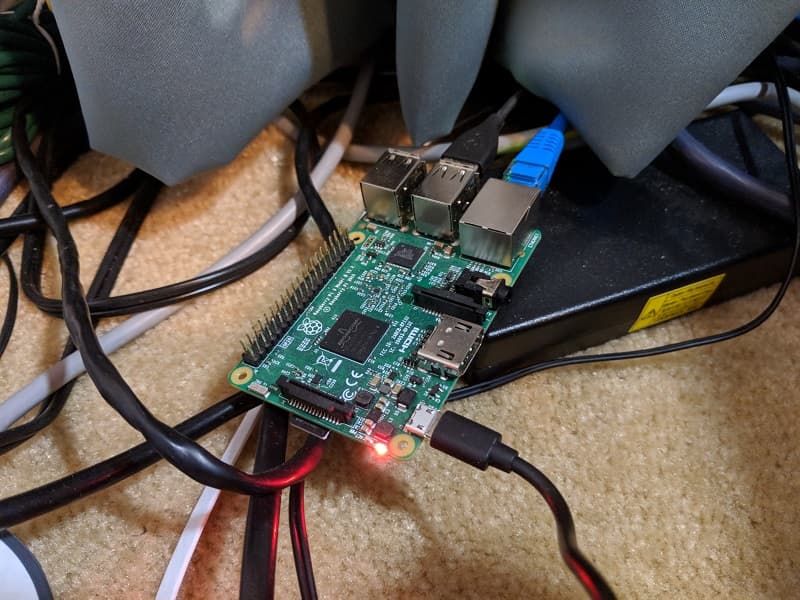
The Raspberry Pi you loaded this site from It's web-scale!

One fine morning, I decided I should get my own domain. I have friends with snappy domains like denise.li and, despite my much-longer name, I was determined to snag a vanity domain for myself. After much scouring the internet, I grabbed wn.zone for the sick sh@wn.zone email address and sha.wn.zone URL. I set up my Github Pages site to serve from the latter and ran into some issues. Of course, that left only one option: to rewrite the site from the ground up and host it myself. That's easier, right?

So now, there's a Raspberry Pi 3 on the floor in my room serving this site. VPSes are overrated when you can hit a blistering 87 RPS on a 4W passively cooled ARM chip! Comments are gone, but seeing as the only people who ever visit this site are myself and Russian SEO spammers, I don't think that's much of a loss. The code is here if you're interested, but it's a bog-standard barebones blog app. Feel free to copy it or something.
Hyperthreading has had a long, albeit checkered past in Intel's CPUs. Originally launched in 2002 on that year's revisions of the Pentium 4 and Xeon, it was great in theory, but a combination of an immature hardware implementation and several games not being programmed for the pseudo-multicore CPUs meant the initial incarnation of HT often caused more headaches than performance gains. Later revisions of the Netburst microarchitecture as well as newer, SMT-aware software eventually resolved these problems, but the feature went the way of the buffalo with the release of the Core line of CPUs in 2006. It wasn't until Nehalem in late 2008 that the feature returned, with a supposedly more mature implementation of the feature. Despite it being present on every Core m and i7 processor released since, as well as many Atoms, i3s, and i5s, plus almost all Xeons, I wasn't able to find any hard data on what kind of performance gains it brought. So naturally, I decided to gather some myself.

Full post >

Feature image

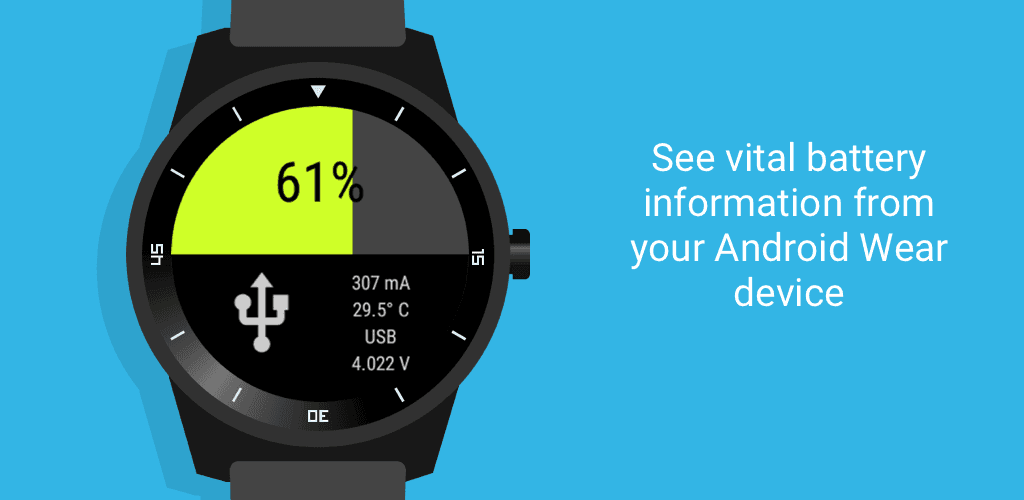
I, like most other people, have been playing a lot of Pokémon Go recently. As a result I, like most other people, am charging my phone at every possible opportunity. Sometimes it's on my desk, sometimes it's in another room with my fast charger, and sometimes it's in some far-flung corner of a car, underneath a pile of my friends' phones. I like knowing how much charge my phone has so I can plot out my Pokémon safaris, so I looked for an app that would let me use my LG G Watch to monitor my phone's battery remotely. Shockingly, no such app existed, so I took it upon myself to cook one up. The result is the (copyright-lawsuit-baitingly named) Battmon! It shows your phone's current state of charge, power source (AC/USB/Qi/battery), and battery stats like voltage, temperature, and current. Check it out on the Play Store here!

The source code is available here.

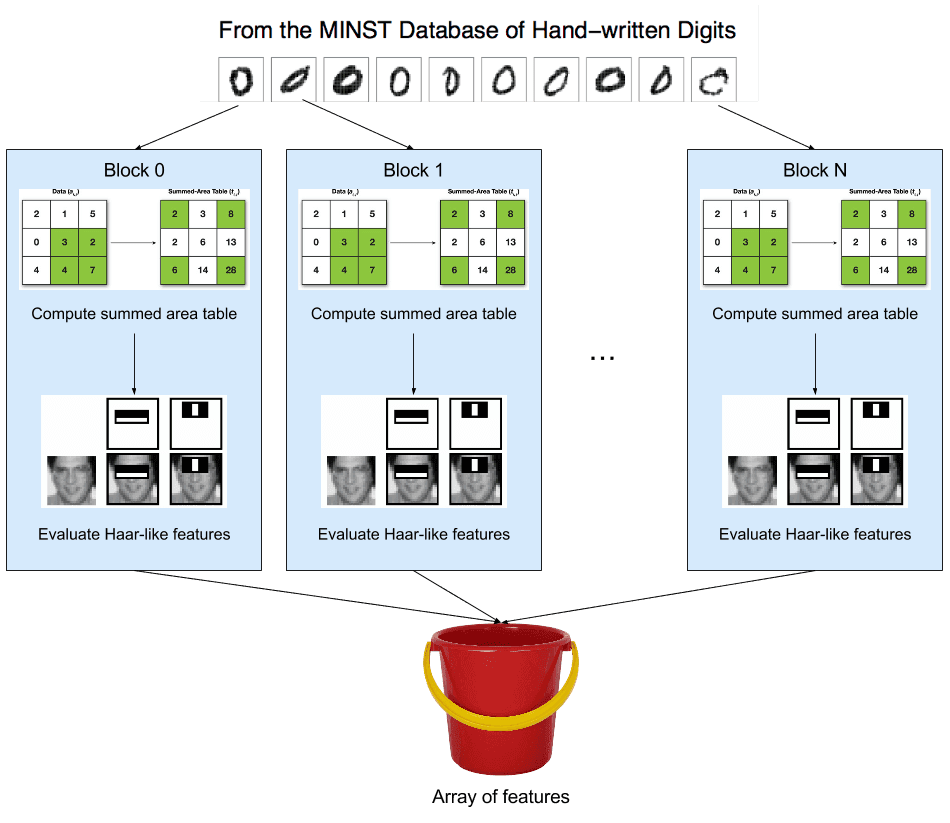
Feature detection algorithm diagram Diagram of the feature detection portion of the algorithm

Machine learning is extremely useful in daily life -- Google uses it to fight spam, Facebook uses it to automatically tag your friends in pictures you upload, and many scanners use it to identify handwritten letters in documents to be automatically converted to searchable text. It also requires a huge amount of computation. Input sizes of hundreds of thousands of samples are commonplace, and to fully analyze even small samples can take a long time.

This past semester I took ECE408: Applied Parallel Programming, a class which covered GPGPU computing, specifically CUDA. The final project was very open-ended: we could do whatever we wanted, as long as it used the GPGPU concepts we discussed in class. My group and I looked into some machine learning applications and decided that one, specifically the training phase of object recognition in images using Haar-like classifiers, was both embarrassingly parallelizable and easy to find a large, preformatted training set for. So we planned out our approach and got coding.

Spaaace!

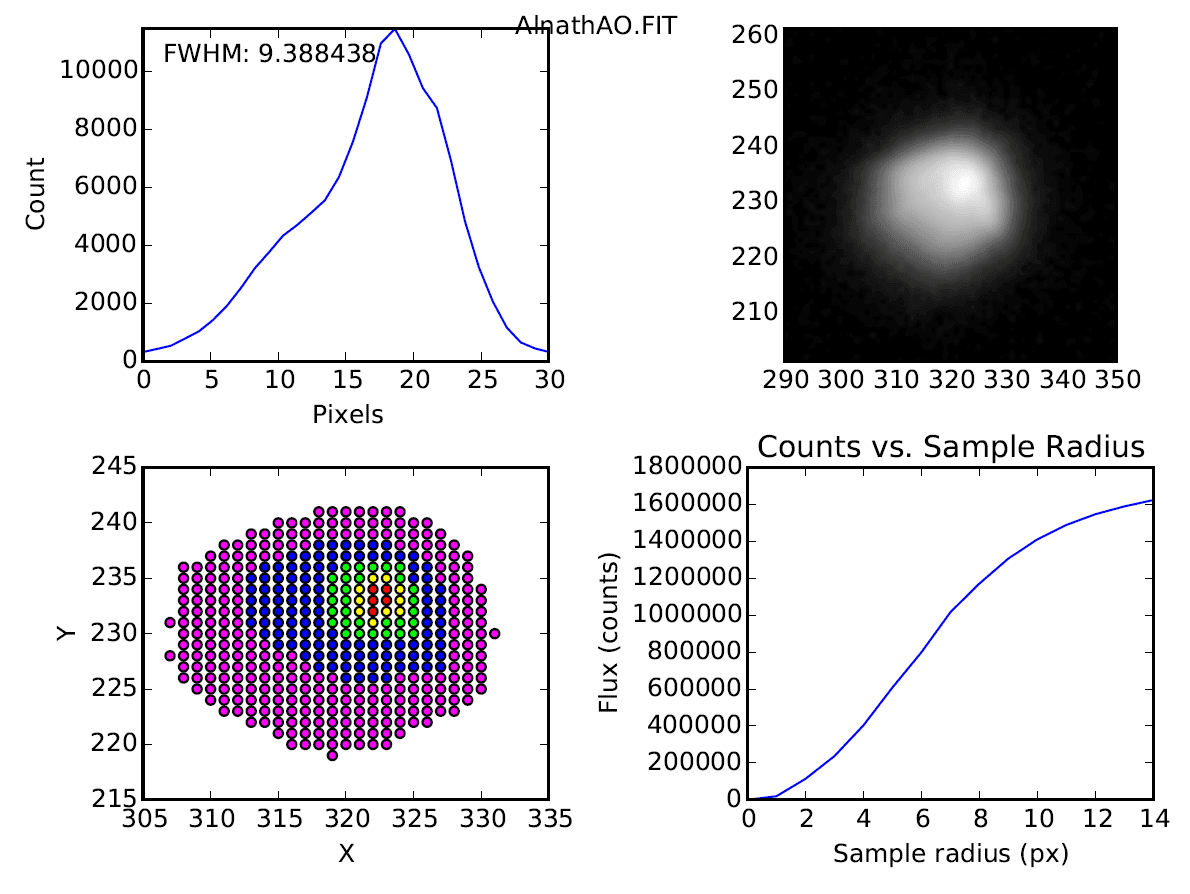
I'm currently enrolled in Astronomy 499 at UIUC, and for the final project my group decided to investigate the effects of adaptive optics on images taken on our telescopes. The writeup, raw data, and generated graphs are available on the repo. The code is really slow, but it's also very readable and should be easy to modify if you ever find yourself analyzing pictures of stars, but for some reason don't want to use a more professional tool.